Shopify migration
Shopify migration that keeps your rankings
We move your store to Shopify with products, customers, order history and URLs intact, so your Google traffic carries over and your customers barely notice the switch.
Right for you if
- You are on WooCommerce, Neto (Maropost), BigCommerce, Magento, Wix or Squarespace and tired of maintenance or limits.
- Organic search drives a large share of your sales and you cannot afford a ranking drop.
- You have years of customer and order history you want to keep.
- You want a migration with a launch date and a rollback plan.
What's included
- Audit of products, variants, collections, customers, orders, pages and blog posts
- Product and variant import with images, SKUs, weights and metafields
- Customer import with marketing consent preserved correctly
- Order history import, where it adds value
- Full 301 redirect map covering products, collections, pages and blog posts
- Preserved page titles, meta descriptions and structured data where possible
- Payments, tax, shipping and email flows reconfigured for Australia
- A launch-day checklist and 30 days of post-launch monitoring
What moves, and how
Every platform stores data differently, so we start with an audit of what you have. Products are the simplest part. Variants, bundles, custom fields and plugin-specific data are where the care is needed. We map each field to a Shopify product field, metafield or metaobject, and we test the import on a development store before touching your live site.
Customers move with their addresses and, where it was given properly, their marketing consent. Passwords cannot be copied between platforms, so customers set a new one on first login. We script a welcome-back email for that moment and use Shopify's customer account setup so it is a single click.
Order history moves so your team can still look up past purchases and so customer lifetime value stays accurate. Historical orders import as records; they do not trigger new emails or stock changes. For platform-specific detail see our pages for WooCommerce, Neto and Maropost, BigCommerce, Magento, Wix and Squarespace.
How the migration runs
Step 1
Step 1: Crawl and audit
We crawl your current site, export your top landing pages from Search Console and Google Analytics, and list every URL that earns traffic or links.
Step 2
Step 2: Build on a development store
The new store is designed and built while your old one keeps trading. Nothing about your live site changes yet.
Step 3
Step 3: Trial import and checks
We run a trial import, compare product counts, prices and variants against the source, and fix gaps. You review a sample of products and customers.
Step 4
Step 4: Redirect map
Every old URL gets a 301 redirect to its closest new equivalent, loaded through Shopify's URL redirects. Pages with no equivalent go to the most relevant collection, not the home page.
Step 5
Step 5: Cutover
We schedule launch for a quiet trading period, run a final delta import of new orders and customers, switch DNS, and test checkout with live payment methods.
Step 6
Step 6: Monitor
We watch Search Console for crawl errors and 404s, fix stragglers, and check rankings for your top terms. See the Shopify migration checklist for the full list.
Protecting your search rankings
Rankings fall after a migration when URLs change without redirects, when titles and headings are rewritten carelessly, or when the new site is slower or harder to crawl. We prevent each. Shopify fixes some URL patterns, so product pages sit under /products/ and collections under /collections/. We map every old address to its new one and keep titles, headings and internal links as close as the new structure allows.
Shopify generates your sitemap and canonical tags automatically, which removes a lot of technical work, but it also means a few things you cannot change, such as the URL prefixes. That is a genuine trade-off, and we cover it in Shopify SEO.
Is moving to Shopify the right call?
Not always. If your WooCommerce store is fast, stable and cheap to run, and your team knows it well, moving costs money you may not earn back. If you rely on deep custom logic, such as complex subscription rules or a bespoke product configurator, check that Shopify can match it before committing. Our comparisons help: Shopify vs WooCommerce, Shopify vs BigCommerce, Shopify vs Neto and Maropost and Shopify vs Wix and Squarespace.
Shopify tends to win on checkout conversion, app ecosystem, reliability on sale days and not having to manage hosting or security patches. It loses on some deep customisation and on percentage-based transaction fees if you use a third-party payment gateway instead of Shopify Payments. We lay both sides out before you commit.
Pricing and timing
8 to 10 weeks for Custom; larger migrations from 12 weeks
Migration is included in our Custom package at $18,500 excluding GST, which also covers bespoke design and a full 301 redirect map. If you only need a new theme without moving platforms, Launch is $8,900. Complex migrations with ERP links or multiple markets are quoted under Plus. After launch, Care is $390 a month, month to month.
Shopify migration: common questions
Will I lose my Google rankings if I migrate to Shopify?
Not if it is done carefully. We map every URL that earns traffic or links to a 301 redirect, keep titles and headings aligned, and monitor Search Console after launch. A brief fluctuation while Google recrawls is normal, so we avoid launching in your peak trading period.
How long does a Shopify migration take?
Most migrations take 8 to 10 weeks within our Custom package, including design. A like-for-like move with a simple catalogue can be faster. Large catalogues, multiple markets or ERP links take 12 weeks and up.
Can I keep my customer and order history?
Yes. Customers import with addresses and marketing consent. Orders import as historical records. Customers will need to set a new password, because passwords cannot be moved between platforms.
Will my store go offline during the move?
No. Your old store keeps trading while we build. Cutover involves a short window for the final data sync and DNS change, which we schedule at a quiet time.
What does a Shopify migration cost in Australia?
Migration is included in our Custom package at $18,500 excluding GST. That price also covers bespoke design and the redirect map. Pricing for more complex needs is on the pricing page.
Do you migrate reviews and subscriptions?
Reviews can usually be exported and imported into apps such as Judge.me, Okendo or Yotpo, depending on your current provider. Subscriptions are harder because payment tokens are held by the gateway, so we check with your provider early and plan the move case by case.
Example stores
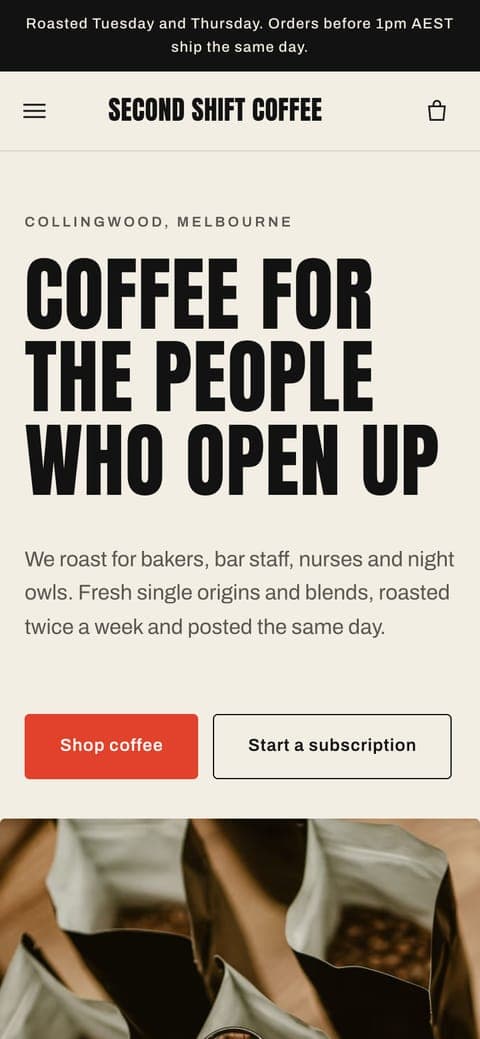
All twelveConcept stores we designed and built to show our work. Click through to shop them.


Further reading
Checklist9 min read
The Shopify migration checklist: from old platform to launch day
A migration goes well when the boring work is done early: a complete URL list, a redirect map, clean data and a test plan. Here is the order we follow.
Comparison8 min read
Shopify vs WooCommerce for Australian stores
WooCommerce is free software you host yourself. Shopify is a hosted service you rent. Which one suits an Australian store depends less on features and more on who you want looking after the machinery.
Guide9 min read
Shopify SEO for Australian stores: a practical checklist
Shopify gives you a decent technical base. The rankings come from how you structure collections, write product pages and fix the handful of quirks every Shopify store has.
Tell us what you sell
A few lines about your store and where it's at. We reply within one business day with questions or a fixed quote.